- Install and activate Woocommerce plugin.
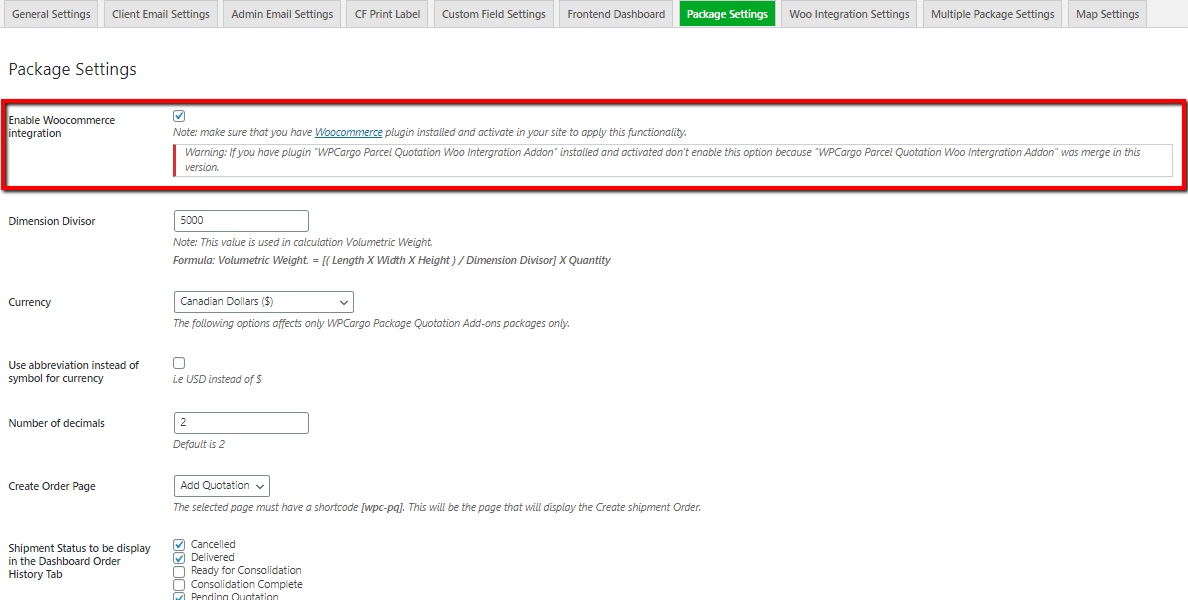
- Go to Dashboard > WPCargo > Package Settings.
- Check Enable Woocommerce integration to enable woo integration.
- Ensure that the Woocommerce checkout page exists. If you don’t know how generate Woocommerce pages refer to this link How to Generate Woocommerce pages.
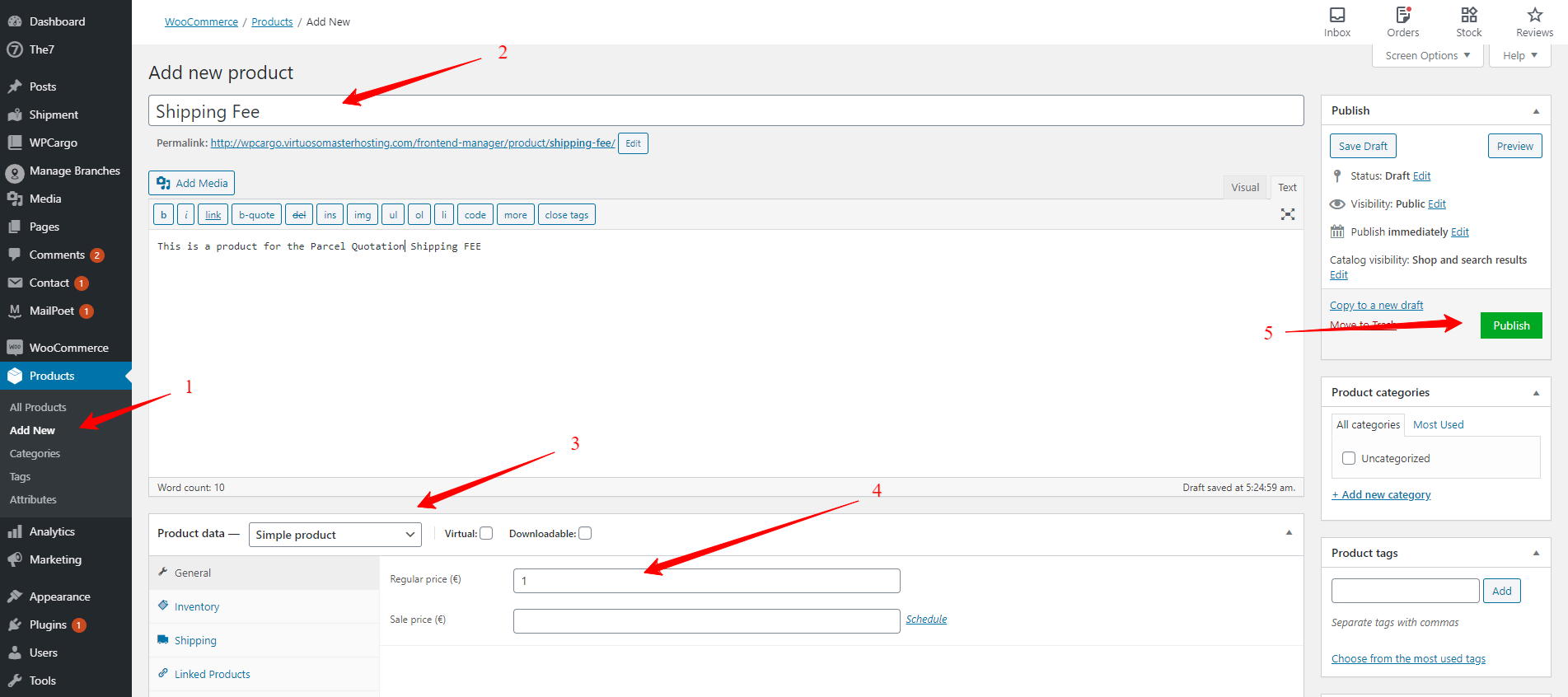
- Create a product to be set for product integration. You can set the regular price into 1. This will then be changed with the quotation price within quotation process. (Note: This price will update after the Parcel Quotation form is submitted)
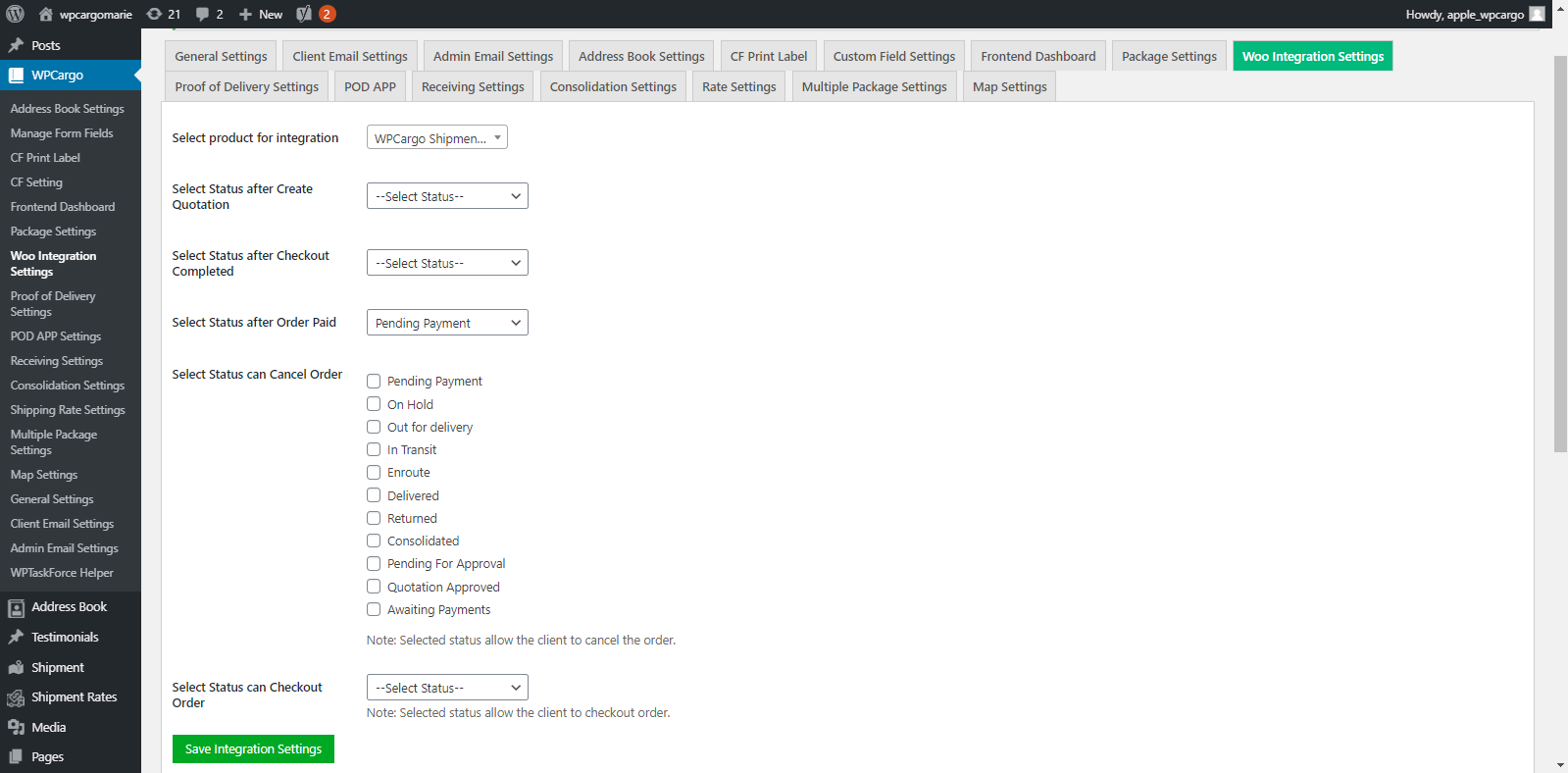
- Go to Dashboard > WPCargo > Woo Integration Settings.
- Choose the created product from the dropdown in Select product for integration.
- Choose the shipment status after the Checkout is complete Select Status after Checkout Completed
- Choose the shipment status after order is complete in Select Status after Order Completed
- Check any status that can be cancel. Select Status can Cancel Order
- Select status for customer can Pay/ proceed to Checkout. Select Status can Checkout Order