

These guides cover:
- How to Activate License Key
- How to Enable the Auto Generate Tracking
- How to Add Shipment Status in Free Version
- How to Print Label & Invoice
- How to update your date format WPCargo
- Shortcodes included with WPCargo Track & Trace
- Shipper Manager
- Driver Accounts
- How to set up WordPress in your language
- Email Settings
- How to Install and add License Key to the WPCargo Add ons
- WPCargo Installation
- How to Add More Custom Field and Customize Export Result
- How to Reset License Key
- Branch Manager
- How to Notify in Specific Shipment Status
- Step by Step Installation of WPCargo and the Add-ons
- How to Set-up WPCargo Pages
- How to remove the Demo Notice
- How to track a cargo/shipment?
- Cashier
- Requirements
- How to check your PHP Version and IonCube Version
1. Log-in your WPCargo account.
2. From the dashboard, click My Subscription>Deactivate.
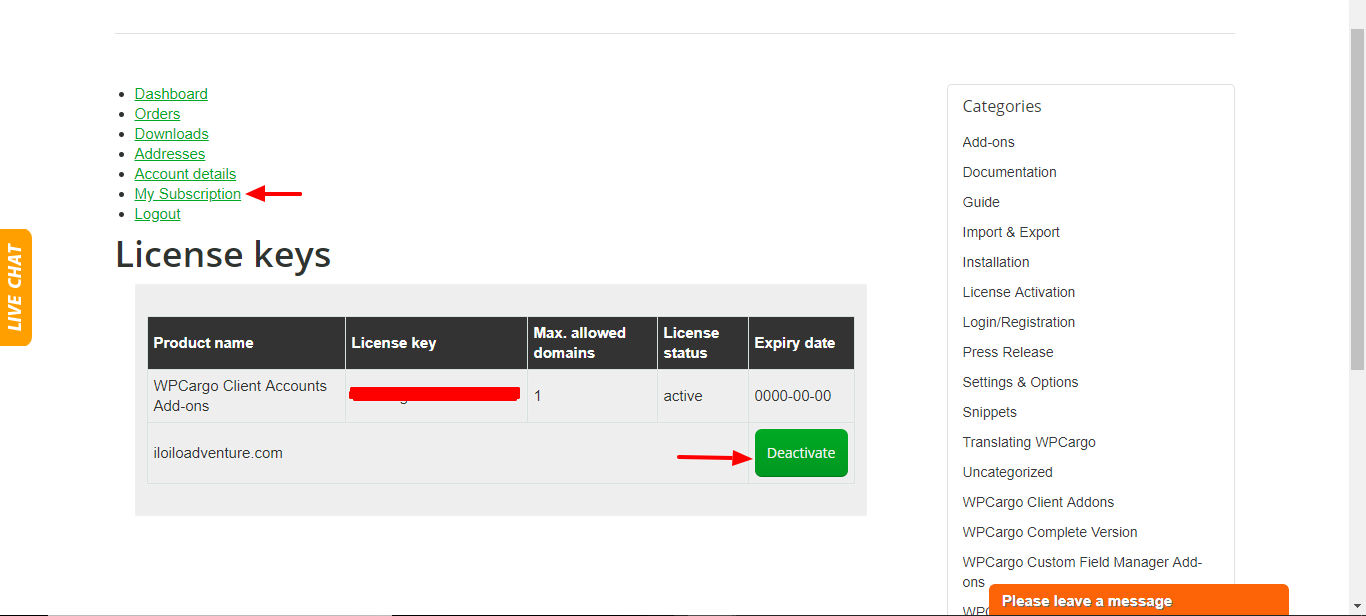 3. Go to your own website and activate the License key.
4. Follow the process on how to activate the License Key – How to Activate License Key