WPCargo

default-logo

[kb_header_title]

How to Track a Shipment Container

Home / Knowledgebase / How to Track a Shipment Container
wpcargo-final-logo-transparent

How to Track a Shipment Container

 These guides cover:

  • Features
  • How to set-up shipment container add-ons
  • How to Add Shipment Container
  • Set-up Shipment


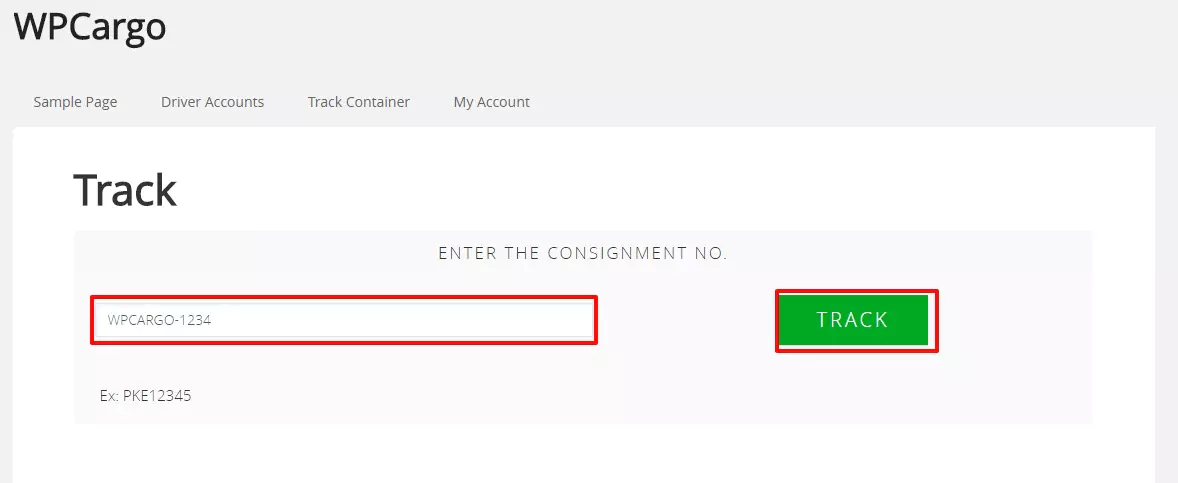
  1. Go WPCargo Tracking Site
  2. Enter your tracking number
  3. Click the track button

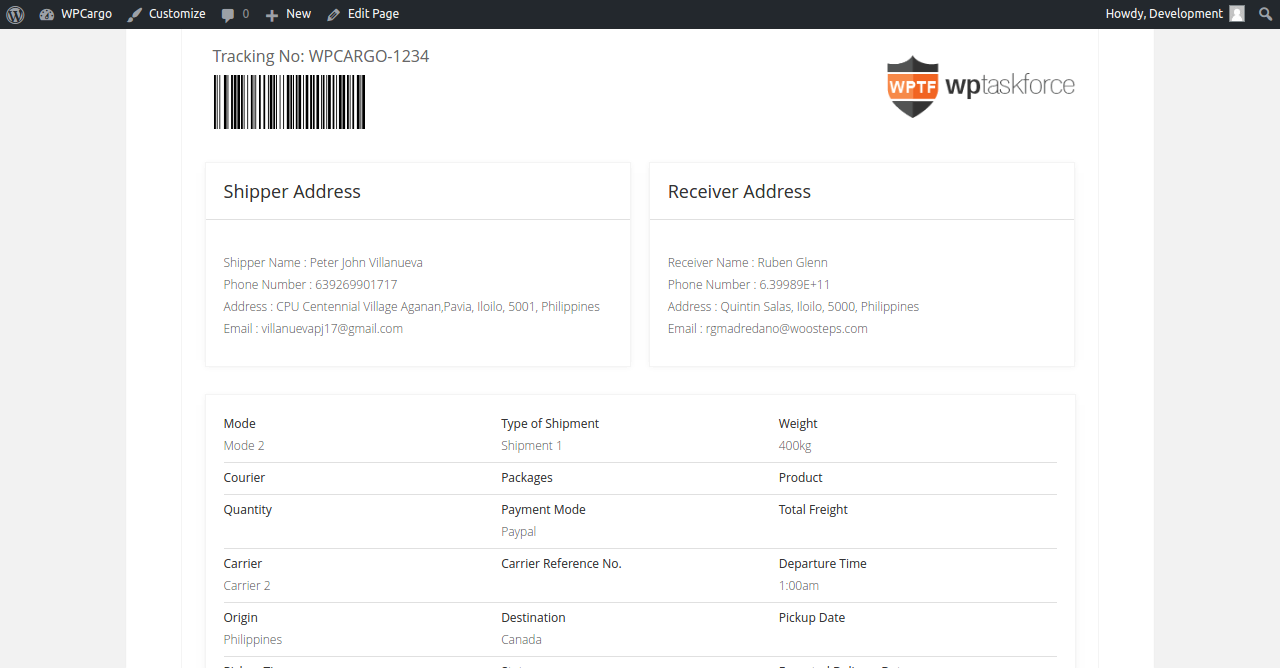
4.Track Result
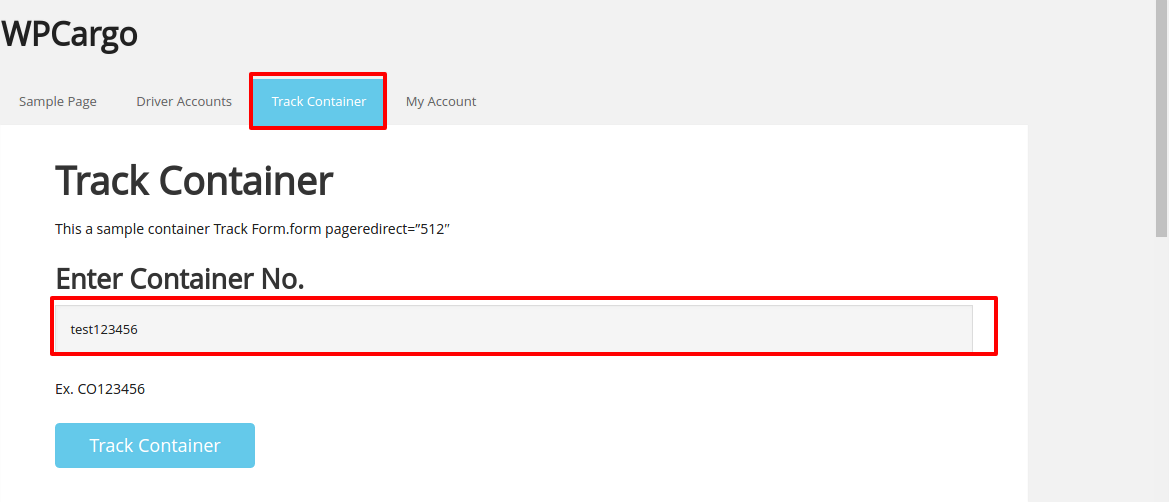
4. Track Container

a. Enter Container No.
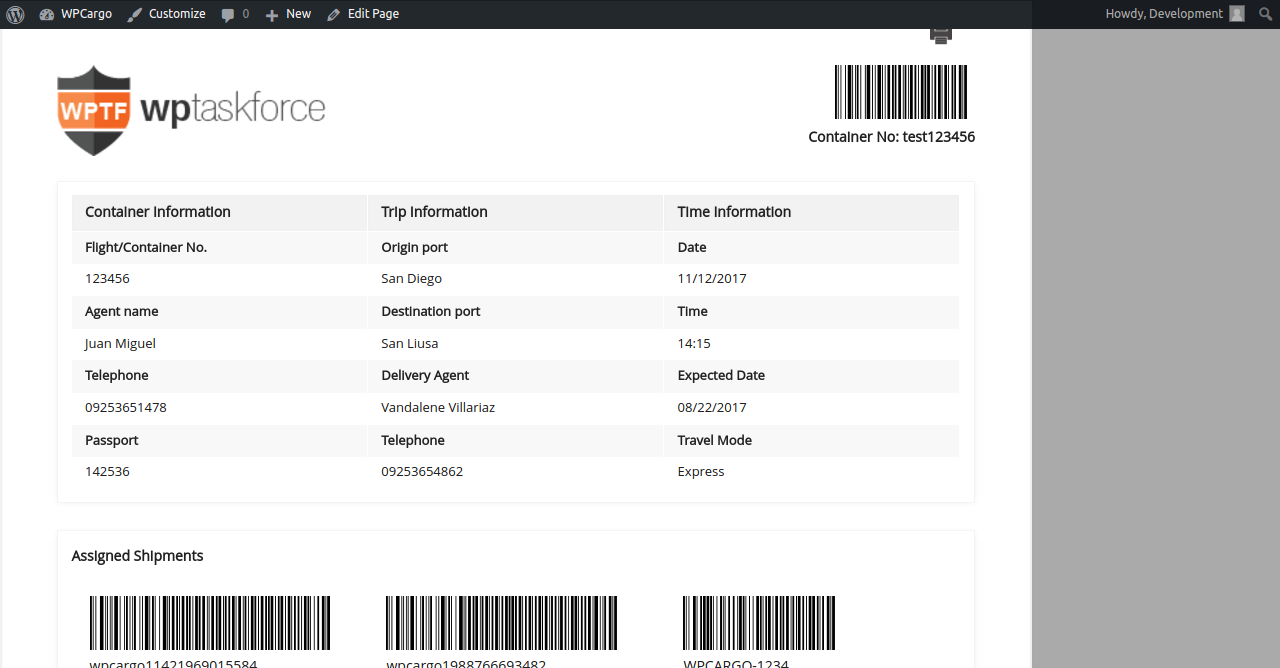
b. Track Container Result
QUICK LINKS

  • Home
  • Demo
  • Purchase
  • Payment Center

DOCUMENTATION

  • Customization
  • Screenshots
  • License Agreement
  • Documentation

CONTACT and SUPPORT

  • FAQ
  • Contact Us
  • Refunds Policy
  • Support and Update Policy - PHP 8.3

Customer Support Monday to Friday 8am - 5pm Manila Time

CONTACT INFO

Address: Ungka II Pavia Iloilo Philippines 5001

Teams: arni.cinco

Phone and Email: 639453980516 | arni.cinco@gmail.com

© 2026 - All Rights Reserved

Design by WPCargo Theme Pro and powered by WordPress